CANbus Troubleshooting Toolkit Incl. Protocol Monitor (RX/TX)
Diagnostics

ⓘ Please contact us for partner and OEM pricing here.


Everything you need to troubleshoot CAN, in one kit
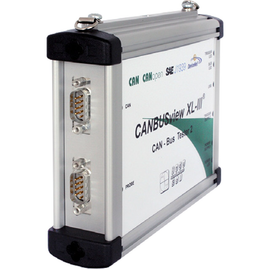
The CANbus Troubleshooting Toolkit pairs the CANBUSview XL III quality tester with the Protocol Monitor CAN software and a complete set of adapters, cables, and power options. It is built for the technician who needs to walk up to a CAN network and start measuring without hunting for the right connector. Commission a new line, chase down an intermittent fault, or verify a repair, all from a single case.
What's in the kit
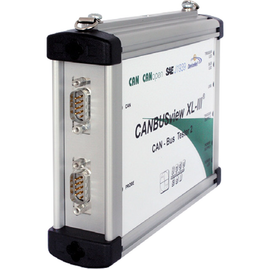
- CANBUSview XL III quality tester
- Protocol Monitor CAN (transmit and receive) software module
- Power supply with plug variants for Europe, Great Britain, and USA/Japan (Australia available)
- Probe adapter and BNC trigger cable for connection to a digital storage oscilloscope
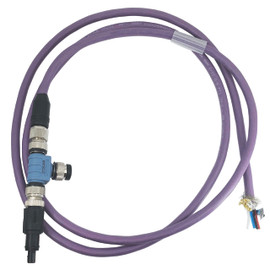
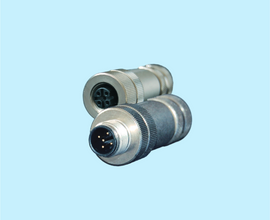
- Six adapter sets covering D-Sub 9, Open Style, M12, 7/8", and SAE J1939 (11 and 13) connections
How the CANBUSview XL III measures
The tester connects feedback-free to the running bus through an adapter and reports to its PC software over USB. It measures the physical and logical communication quality of your CAN network live, while the system is running. For the best picture, measure at both ends of each segment.
Physical quality: the Q-value
CAN transmits data as a differential voltage across CAN-H and CAN-L. The CANBUSview XL III scans every bit 64 times and rates its physical quality on a 0 to 100% scale (the Q-value), shown per device in a bar chart. Three factors weigh equally: edge steepness, signal-to-noise ratio, and reflections. One glance tells you which nodes are solid and which are marginal.
Oscilloscope with packet analysis
The software displays the actual signal shape of a measured packet in an oscilloscope view, so you can evaluate signal transitions and pinpoint reflection points on the segment. Sampling runs at 64 times the configured baud rate across 160 bits in total.
Logical quality determination
In parallel with the physical measurement, the tool inspects packet traffic for defective packets, missing acknowledgements, device overload, and overall bus load. Together with the Q-value, this separates cabling problems from protocol and configuration problems.
Line test (offline)
Run the integrated line test before commissioning, with the segment powered down and devices disconnected. It detects short circuits, line breaks, and missing or additional terminating resistors, and measures loop resistance of the bus line and supply line plus total line length.
Included: Protocol Monitor CAN
The toolkit includes the active CAN monitor, so you can do more than measure signal quality. You can watch live traffic and drive the bus yourself:
- Display CAN error frames and overruns, and trigger recording on those conditions
- Start, stop, and pause records, with each state shown clearly
- Build sequences by grouping CAN packets into a list
- Transmit one or several messages, once or repeated at defined intervals
- Configure connected devices with a single button press
Adapter sets
The kit ships with the connections you meet in the field, each set matched to its bus type:
- Set 1: D-Sub 9, adapter cable, shorting plug, terminating resistor
- Set 2: Open Style, adapter cable, shorting plug, Open Style adapter
- Set 3: M12, adapter cable, shorting plug, terminating resistor, T-piece
- Set 4: 7/8", adapter cable, shorting plug, terminating resistor, T-piece
- Set 5: SAE J1939-11, adapter cable, shorting plug, terminating resistor, Y-piece
- Set 6: SAE J1939-13, adapter cable
Need another protocol?
This kit covers CAN. Separate toolkits are available for CANopen and DeviceNet, each adding the matching analysis extension and Protocol Monitor to the CANBUSview XL III. The base tester can also be extended with individual protocol licenses at any time; see the CANBUSview XL III product page for the full range.